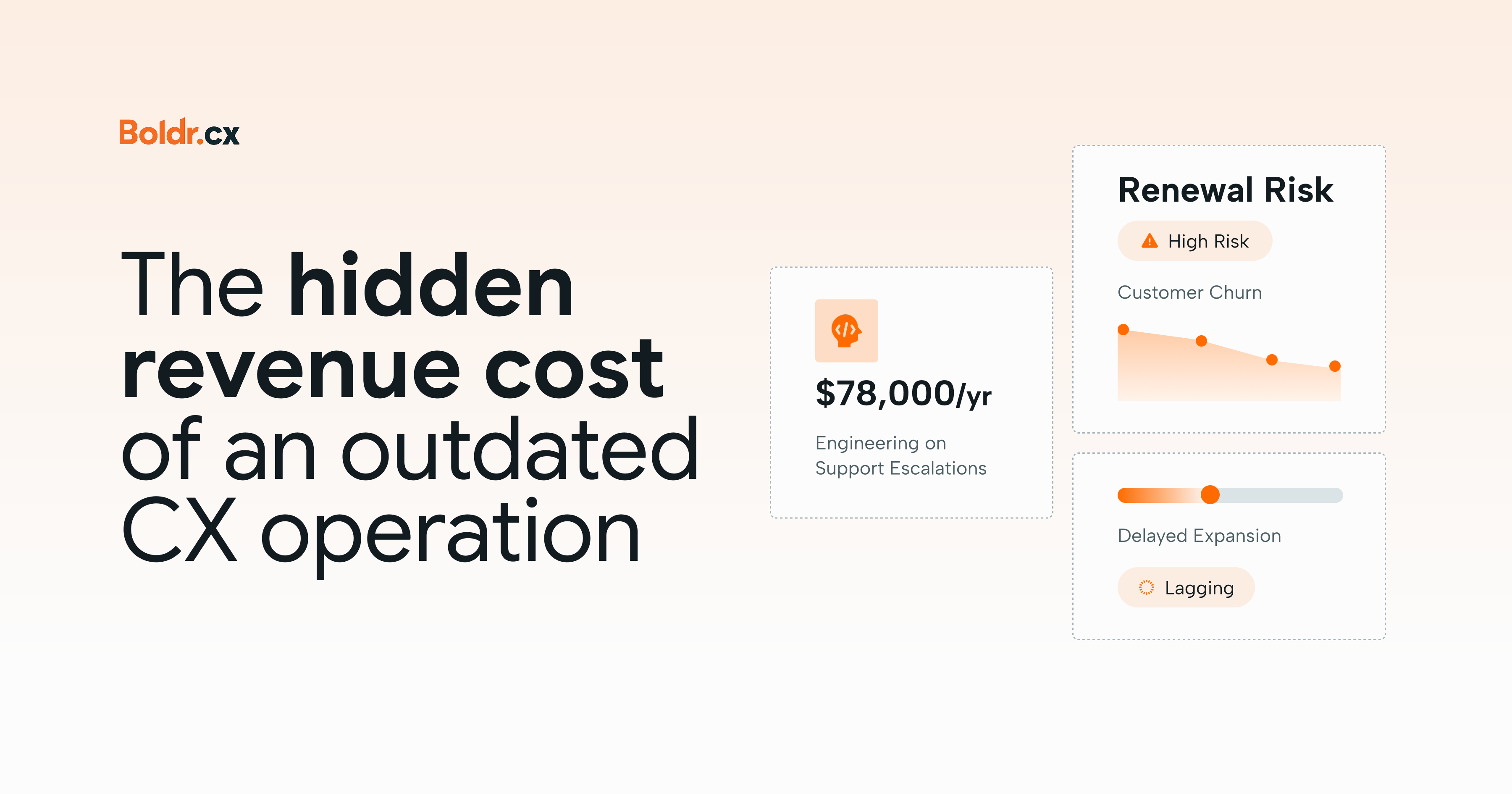
How outdated SaaS CX processes affect retention, expansion revenue, and the cost of supporting customers.
SaaS companies are generally pretty good at tracking revenue. ARR, MRR, net revenue retention, customer acquisition cost. There's a metric for just about everything, and probably a dashboard reminding someone to check it.
But there's one revenue problem that's easy to miss: the money your business loses because its CX operation hasn't kept up with its growth. Customers are still getting responses, tickets are being resolved, and CSAT might even be holding steady.
Meanwhile, Customer Success managers are chasing support escalations, engineering keeps getting pulled into recurring issues, and customers are struggling to get value from increasingly complicated products. None of this appears as a neat line item labeled revenue lost to outdated CX operations, but the financial consequences are there.
What does an outdated CX operation look like?
An outdated CX operation isn't necessarily badly managed or running on ancient technology; it might have been an excellent setup two years ago. Back then, the product was simpler, the customer base was smaller, and most support conversations involved predictable questions. A lean team and occasional help from engineering were enough. Then the company grew.
New features introduced technical complexity, enterprise customers arrived with different expectations, international expansion created coverage requirements, and more integrations meant more things could go wrong.
The CX operation evolved through individual fixes: another specialist here, a new workflow there, a Slack channel dedicated to questions nobody quite knows how to answer. Eventually, you're running a more complicated customer operation on foundations designed for an earlier stage of growth. And the consequences extend beyond support performance.
1. Customer friction becomes a retention problem
Customer churn usually happens through an accumulation of frustrations. A technical issue takes longer than expected. The customer explains the problem to three different people. A promised follow-up never arrives.
Individually, these experiences seem manageable, but together, they create doubt about whether the company can reliably support the customer's needs. That's especially important in SaaS, where revenue depends on customers continuing to see enough value to renew.
A customer might love your product's functionality but still reconsider their contract if getting help becomes a recurring headache. By the time that concern surfaces during renewal, the damage may have been building for months.
What to investigate: Compare support history with churn reasons and renewal feedback. Are accounts with recurring escalations more likely to downgrade? Do at-risk customers share similar unresolved issues? You won't always be able to attribute churn directly to support, but patterns can reveal where operational friction is putting revenue at risk.
2. Unresolved issues can delay expansion revenue
Convincing an existing customer to upgrade, add users, or adopt another product becomes harder when they're struggling with what they've already purchased. Imagine an account considering rolling out your platform across several departments. The opportunity looks promising, until recurring integration problems make the customer question whether the wider rollout is a good idea.
Expansion gets postponed. The issue technically belongs to support, but the commercial impact belongs to the business. When CX teams lack the technical knowledge, permissions, or escalation processes to resolve complex issues, customer problems can remain open far longer than necessary. And every delay gives customers another reason to reconsider their investment.
What to investigate: Look at expansion opportunities delayed or lost because of unresolved customer concerns. Were the issues genuinely complex, or did they spend unnecessary time waiting for another department, missing information, or unclear ownership? Sometimes better technical training or escalation processes can make a bigger difference than adding headcount.
3. Bad onboarding puts future revenue at risk
Acquiring a SaaS customer is only the beginning. They still need to implement the product, understand how it works, and experience enough value to keep paying for it. As products become more complicated, onboarding questions become more technical. Customers need help with integrations, configurations, permissions, and unfamiliar workflows.
If documentation hasn't kept up, specialists are difficult to reach, or responsibilities between onboarding, Customer Success, and CX are unclear, customers can get stuck before experiencing the product's value. That's a really uncomfortable place to lose momentum. Customers who struggle to activate might never reach the adoption levels that support renewal or expansion.
What to investigate: Compare onboarding delays with activation, adoption, and retention. Which technical questions repeatedly hold up implementation? Are customers waiting for specialist help at critical moments? Improving technical coverage, documentation, or handoffs could help customers reach value sooner.
4. Your most expensive people are doing work they shouldn't need to
Some revenue costs come from how much internal effort the business spends keeping CX functioning. Consider a company where engineering regularly handles routine support escalations because frontline teams lack technical training, system access, or reliable documentation. The customer eventually gets an answer, so the ticket closes.
But what did that resolution actually cost?
An engineer spending hours on repeat issues isn't working on product improvements. A Customer Success manager chasing support updates isn't spending that time driving adoption or preparing for renewals. These costs can remain invisible in CX reporting because the work still gets done. Put a number on those dependencies. Take a sample of support issues requiring help from other departments. Estimate the hours involved and multiply them by an approximate fully loaded hourly cost.
Suppose engineering spends 15 hours a week handling recurring escalations, at an estimated internal cost of $100 per hour. That's approximately $78,000 a year in engineering time.
It doesn't mean you could immediately save $78,000 by changing your CX operation. Some engineering involvement is necessary, and reallocating work doesn't automatically eliminate payroll costs. But it does show how much capacity might be tied up in potentially preventable work, before accounting for the product improvements those hours could have supported.
5. Recurring customer issues create unnecessary demand
Sometimes CX teams become very efficient at resolving problems that shouldn't keep happening. A confusing workflow generates the same questions every week. An integration repeatedly fails. Customers consistently misunderstand a billing feature. The team develops a reliable response, tickets get closed, and performance looks healthy.
Meanwhile, the underlying problem continues generating work. Every repeat contact consumes capacity, increases customer effort, and creates another opportunity for frustration.
What to investigate: Identify the issues generating the most repeat contacts or consuming disproportionate resolution time. Could better in-product guidance prevent the question? Does Product need to fix the underlying workflow? Would clearer documentation help? Reducing preventable demand can free up capacity while making the customer experience better.
6. AI investments can disappoint when the operation isn't ready
AI can improve efficiency by a lot, but it can also become an expensive addition to an operation whose underlying problems haven't been addressed. Introduce AI into an environment with outdated documentation and inconsistent workflows, and you risk automating unreliable answers.
There's also the question of what happens to the work AI doesn't handle. As straightforward questions are automated, human specialists may be left with more complex technical issues and difficult escalations. Ticket volume might fall without a corresponding reduction in workload. If the business assumes fewer tickets automatically means fewer people, it could create another capacity problem.
What to investigate: Look beyond automation and deflection rates. Is AI reducing total resolution effort? How often do customers contact support after an automated interaction? How much human work goes into correcting answers and handling exceptions?
Factor in the cost of maintaining knowledge, monitoring quality, and managing workflows. The goal is to improve the economics of customer support, rather than just produce a more impressive dashboard.
How to identify where your CX operation is costing you revenue
You probably won't find one metric that captures every financial consequence of an outdated CX operation. Instead, connect the operational problems you can see with the commercial outcomes that matter.
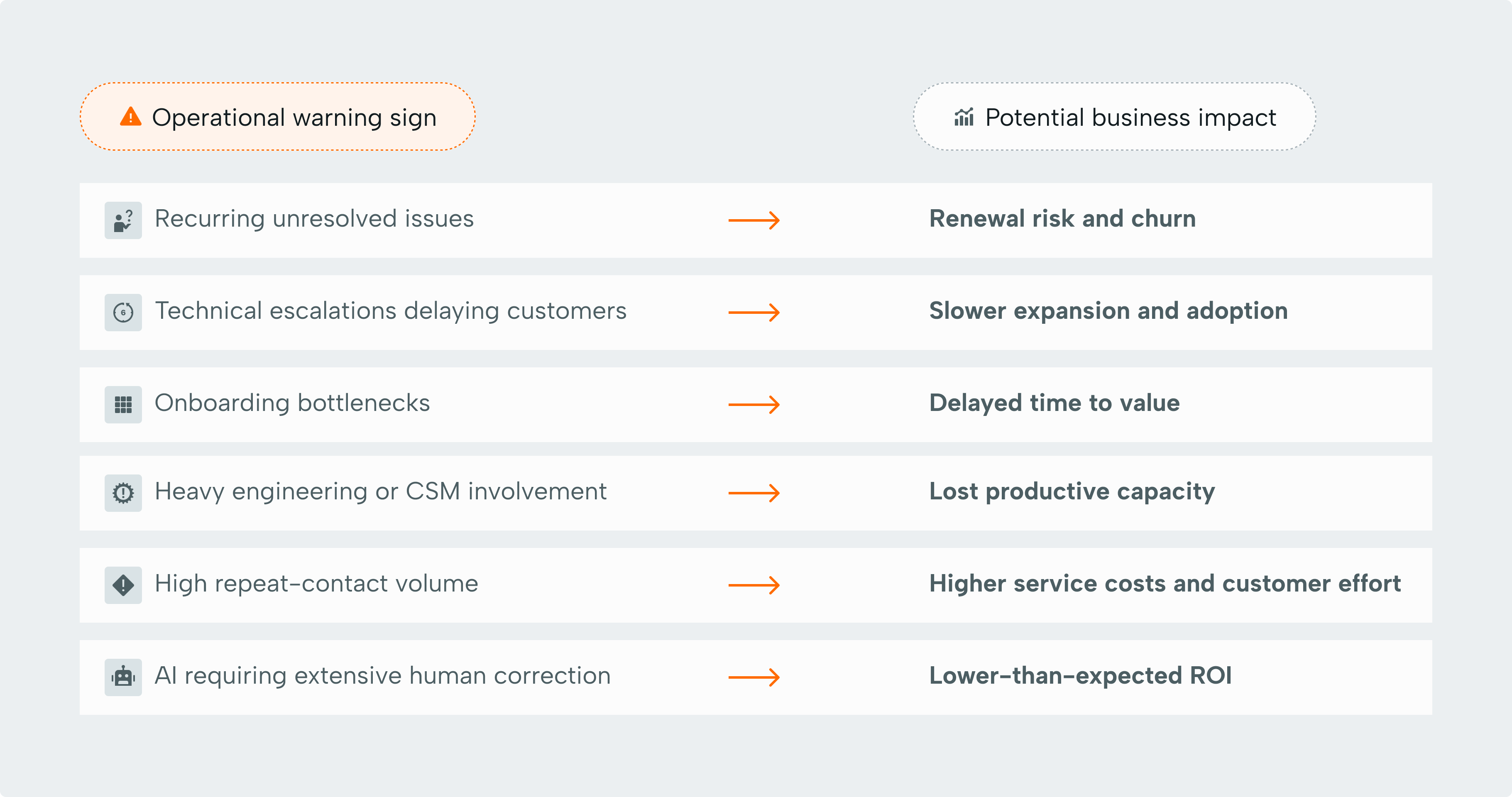
Start with one or two areas where friction appears most significant. Establish a baseline and examine how those problems affect customers and other departments.
And distinguish between costs you can directly measure and revenue risks you suspect are connected.
An unresolved escalation preceding a lost renewal doesn't prove support caused the customer to leave. But repeated patterns across accounts are worth investigating.
Your CX operation should grow with your business
The CX setup that helped your SaaS company reach its first major growth milestone may not be the one that gets it through the next. That doesn't mean the original operation failed. Your customers, product, and business have changed, and the way you support them needs to evolve, too.
The difficult part is deciding what actually needs attention. More people? Stronger technical expertise? Better processes? Improved knowledge management? AI?
Different problems require different investments, and guessing can get expensive. That's where our free CX audit comes in.
Our CX experts examine how your operation works today, including capacity, coverage, processes, knowledge, technology, performance, and AI readiness. We'll help identify what's working, where the gaps are, and which improvements are worth prioritizing.
There's no obligation to work with us afterwards. Just a clearer understanding of where your CX operation may be holding your business back.
Related posts
5 signals your CX operation is hitting its ceiling (and what to do about it)
If your backlog has become part of the furniture and your AI pilot is celebrating its first birthday, your CX operation might be telling you something. Here are five signals to look for.

The CX systems transformation layer: why running the operation isn't enough
Your support operation might be running beautifully, but that doesn't necessarily mean the system underneath it is. Here's why the difference matters.
Your chatbot is ready for BFCM. Is everything else?
Your chatbot might be ready for BFCM, but is the operation behind it? Here’s where AI helps, where humans matter, and what peak season will expose.